Logs
Integration Logs record every delivery attempt for Webhook and Meta CAPI integrations. Open them from the clock icon on an integration card to inspect status codes, response bodies, and errors.
Integration Logs are available for Webhook and Meta CAPI. Click the clock icon on a card to open the modal.
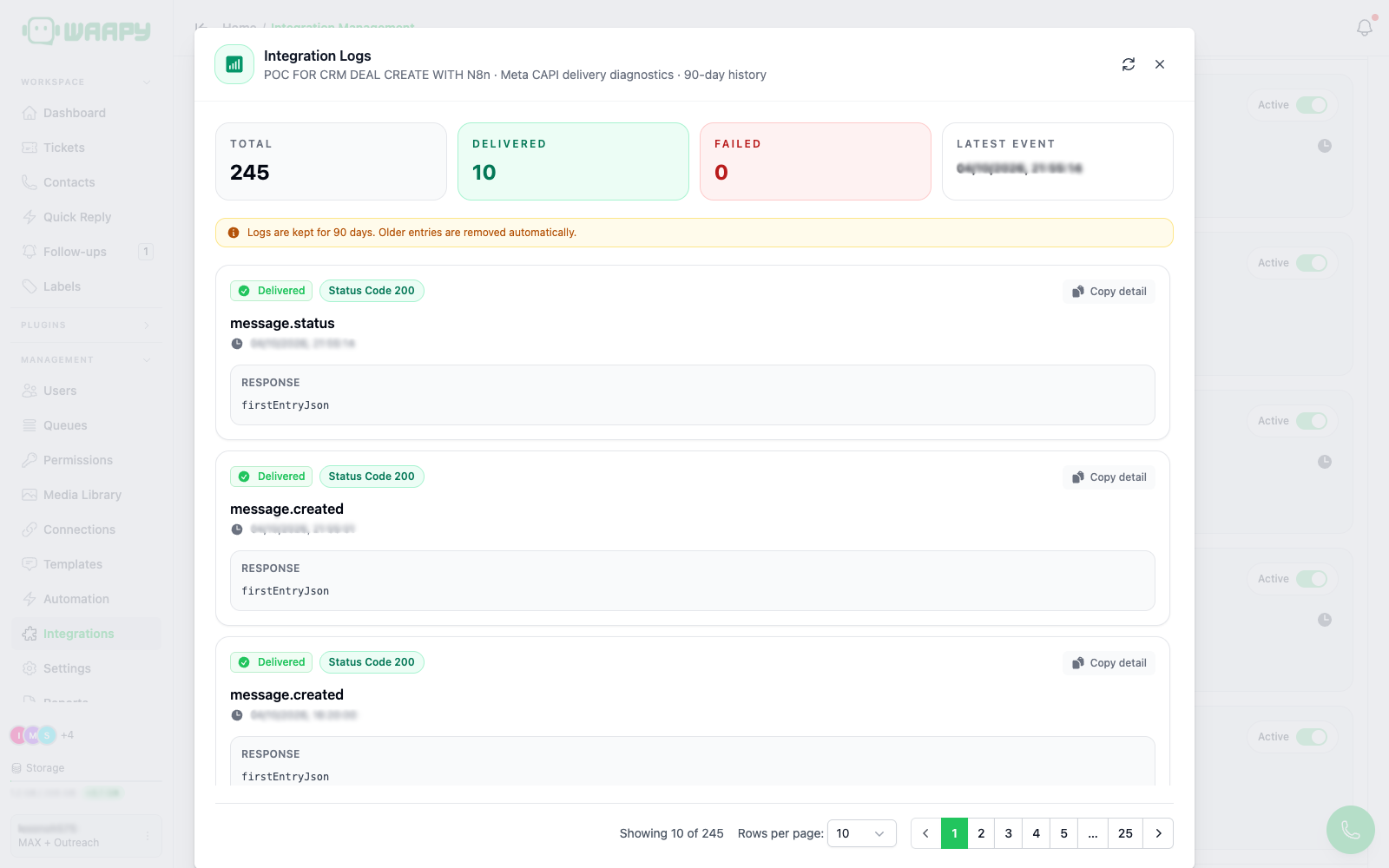
The modal shows:
- Total: number of log entries for the current filter.
- Delivered: successful deliveries.
- Failed: failed deliveries.
- Latest Event: timestamp of the most recent entry.
- A banner: "Logs are kept for 90 days. Older entries are removed automatically."
Each entry shows status (Delivered or Failed), HTTP status code, event name, timestamp, and the response body or error detail (copyable). Pagination is 10 entries per page.
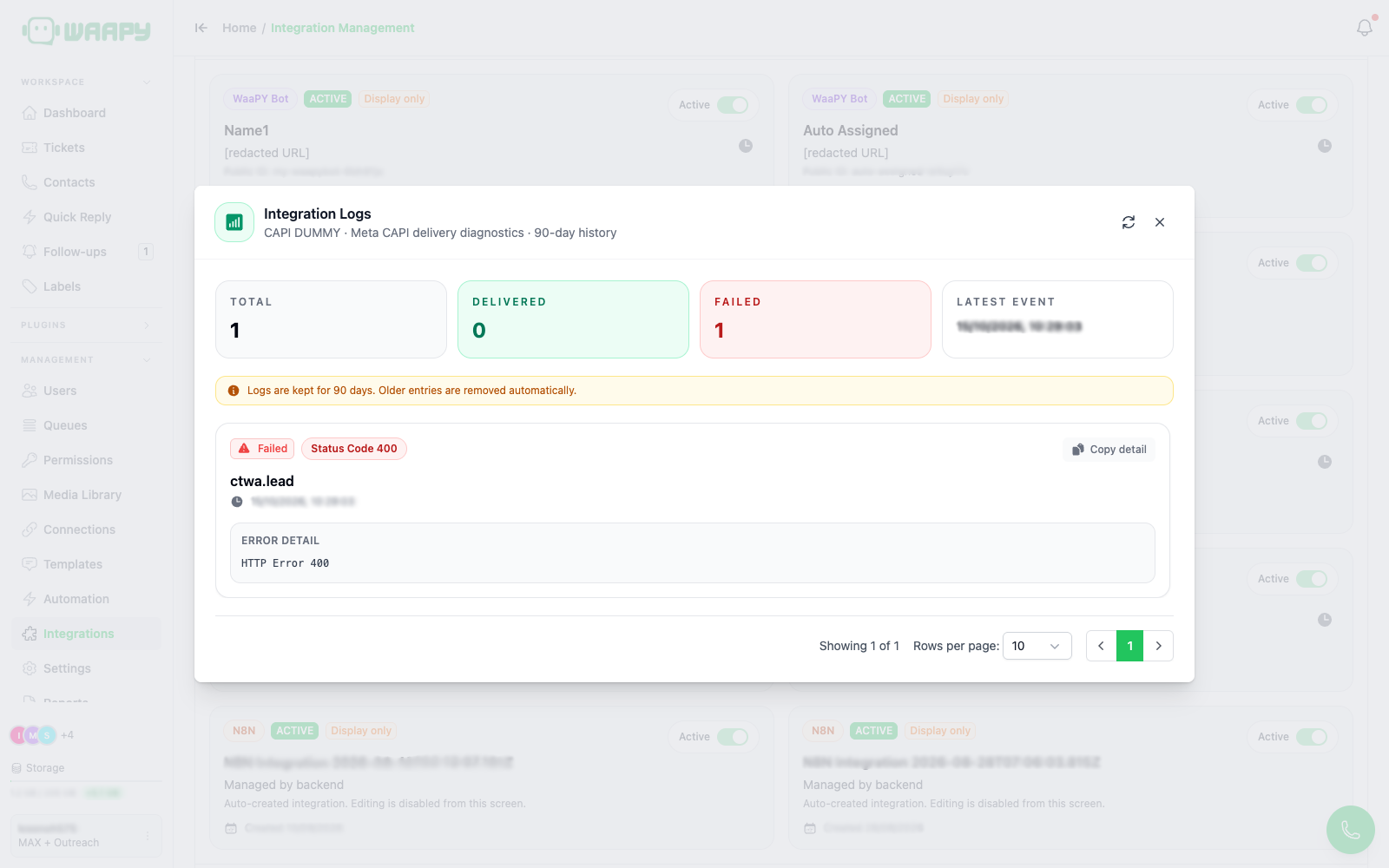
The Meta CAPI logs modal looks the same and is populated after a test or live conversion event. A rejected event shows as Failed with the status code returned by Meta and the error detail:
Retention
Logs older than 90 days are deleted automatically by a daily cleanup job at 05:00. Plan queries and exports accordingly.