N8N
Quick Overview
N8N integrations connect WaaPY to an N8N workflow through the WaaPY community node. They are created automatically when you publish a workflow and appear here as read-only ("Display only").
Setup (in N8N First)
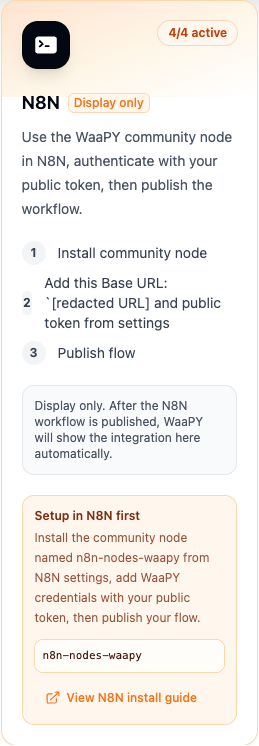
- In N8N, open Settings, then Community Nodes, and install
n8n-nodes-waapy. - Add WaaPY credentials using:
- Base URL: your WaaPY API URL (shown on the card as
Add this Base URL). - Public token: an API key from WaaPY Settings (starts with
wckey_).
- Base URL: your WaaPY API URL (shown on the card as
- Publish your workflow. WaaPY then creates the integration row here automatically.
Events Delivered to N8N
N8N receives a resolved view of workspace events:
message.received(inbound messages)message.sent(outbound messages)message.status(delivery and read acks)ticket.closed
Notes
- The integration is managed by the backend. Editing and deletion are disabled from this screen.
- Status cannot be toggled here.