Overview
The Integrations page connects WaaPY with external services. You can send workspace events to your own endpoints (Webhooks), attribute click-to-WhatsApp leads to Meta (Meta CAPI), hand chats to WaaPY Bot, automate workflows with N8N, or sync contacts and call logs from a Yeastar PBX. Integrations created automatically by the backend (N8N, WaaPY Bot) appear here as read-only.
This page covers the integration types, the 4-step wizard used to add or edit integrations, the action buttons on each card, and search and pagination.
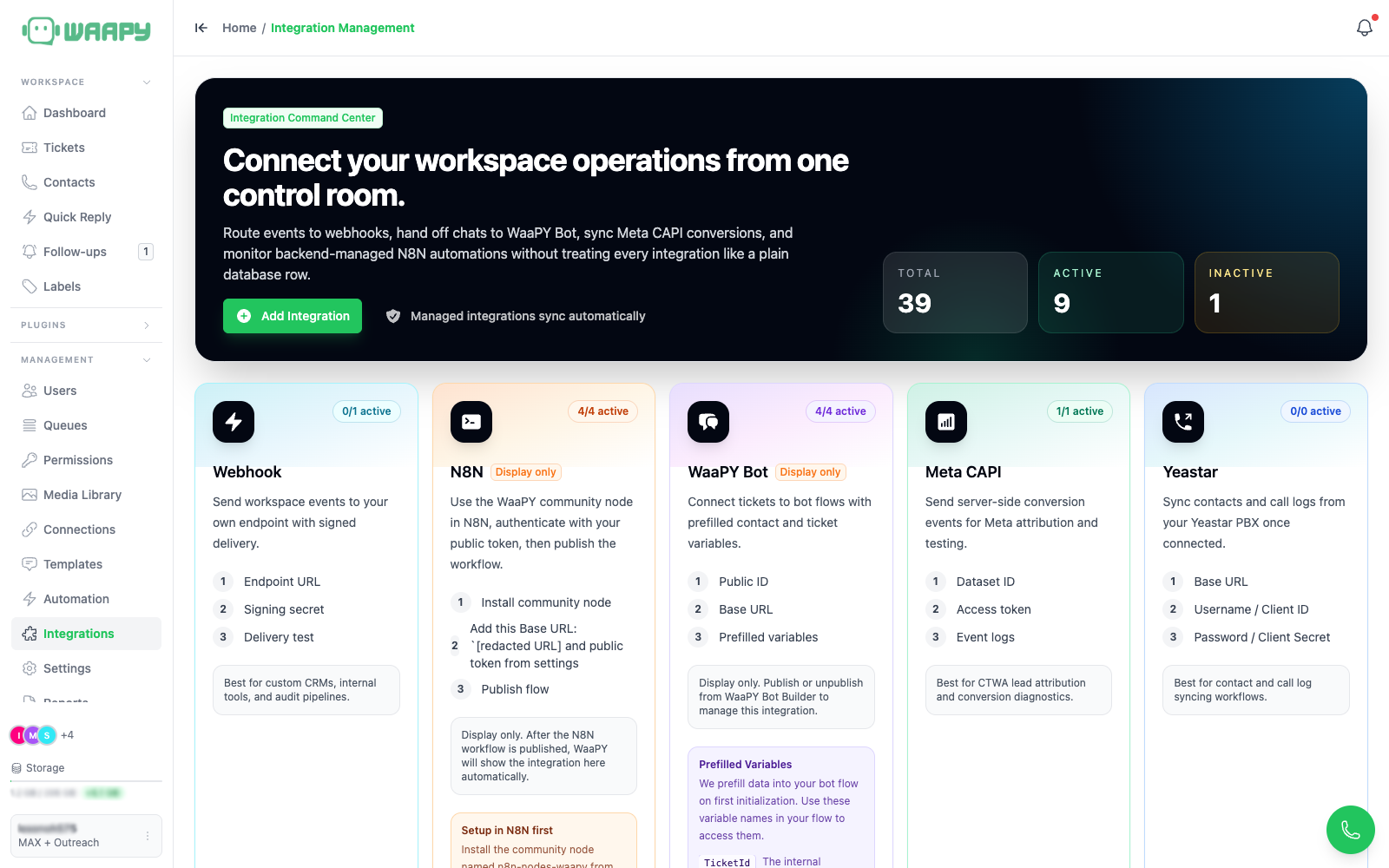
Supported Integration Types
| Type | Created by | Editable here |
|---|---|---|
| Webhook | You | Yes |
| Meta CAPI | You | Yes |
| Yeastar | You | Yes |
| WaaPY Bot | Backend (WaaPY Bot Builder) | No, display only |
| N8N | Backend (N8N community node) | No, display only |
The page has two areas. The top shows one card per supported type with a description, a 3-step summary, and a status hint. The bottom, Live Integration Pipelines, lists the integrations configured in this workspace with search, status toggles, and action buttons. The header shows three counters: Total, Active, and Inactive.
N8N test-mode webhook URLs containing /webhook-test/ are hidden from the list.
Adding a New Integration
Only Webhook, Meta CAPI, and Yeastar can be added manually. N8N and WaaPY Bot integrations are created automatically when you publish a flow in those tools.
Click the green + Add Integration button to open the 4-step wizard.
Step 1: Choose the Type
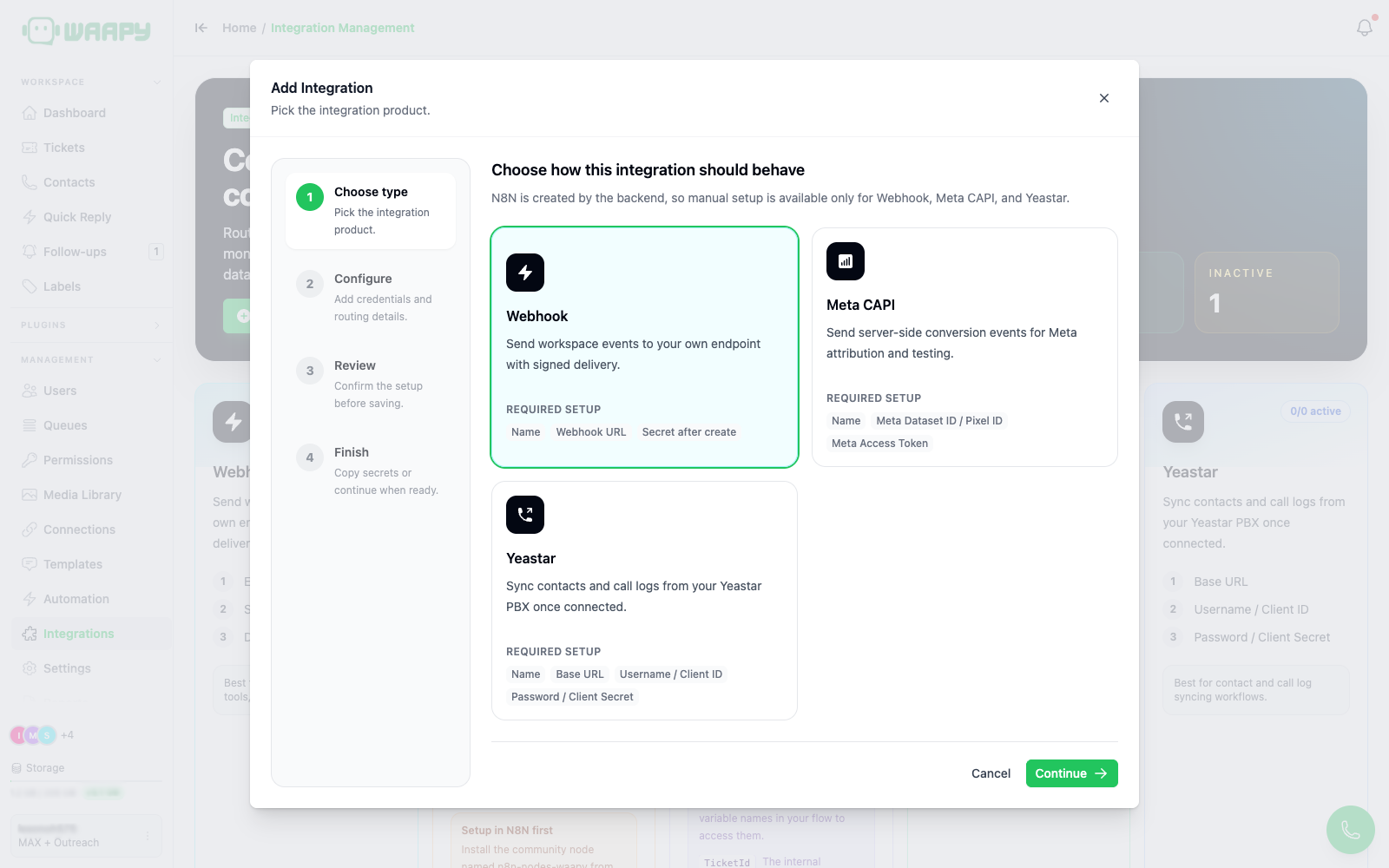
Pick Webhook, Meta CAPI, or Yeastar, then click Continue.
Step 2: Configure
Fill in the fields for the chosen type, then click Review setup.
Webhook
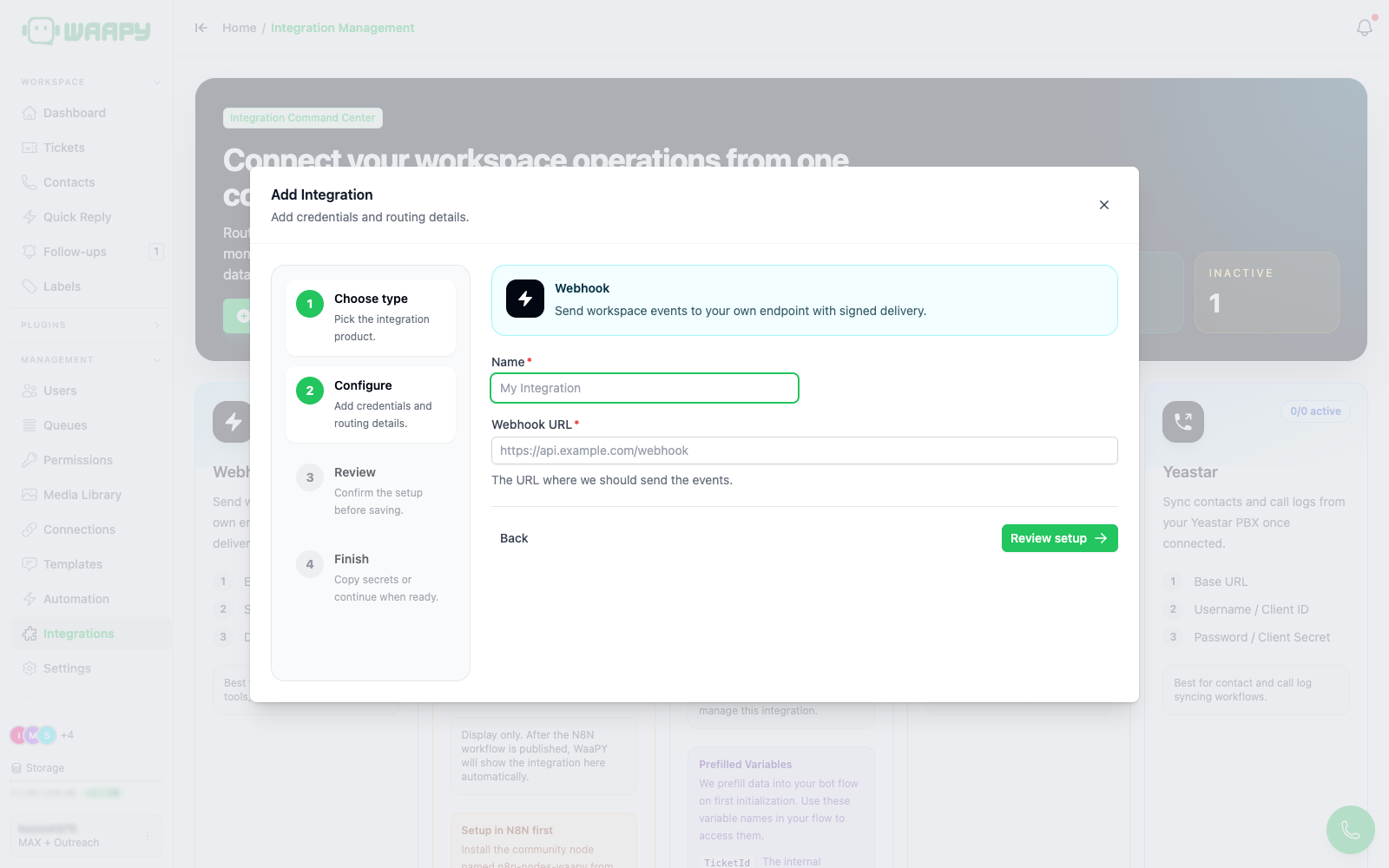
- Name: unique within the workspace.
- Webhook URL: the endpoint URL that receives events.
Meta CAPI
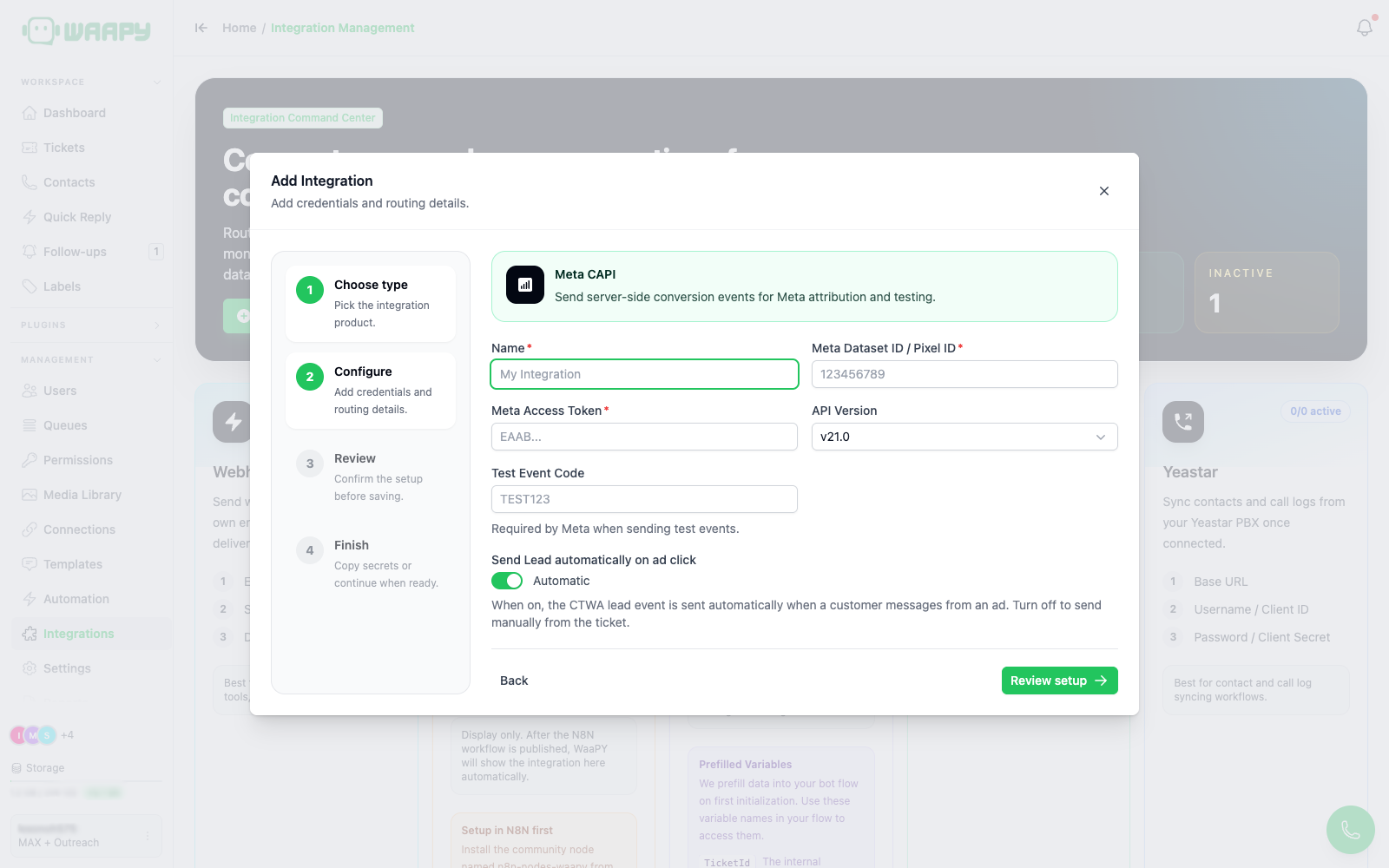
- Name: unique within the workspace.
- Meta Dataset ID / Pixel ID: your Meta dataset or pixel ID.
- Meta Access Token: a Meta Conversions API access token.
- API Version:
v21.0,v22.0, orv23.0(defaultv21.0). - Test Event Code (optional): required only to use Send Test.
- Send Lead automatically on ad click: when on, the
ctwa.leadevent is sent automatically when a customer messages from a click-to-WhatsApp ad. Turn off to send it manually from the ticket.
Yeastar
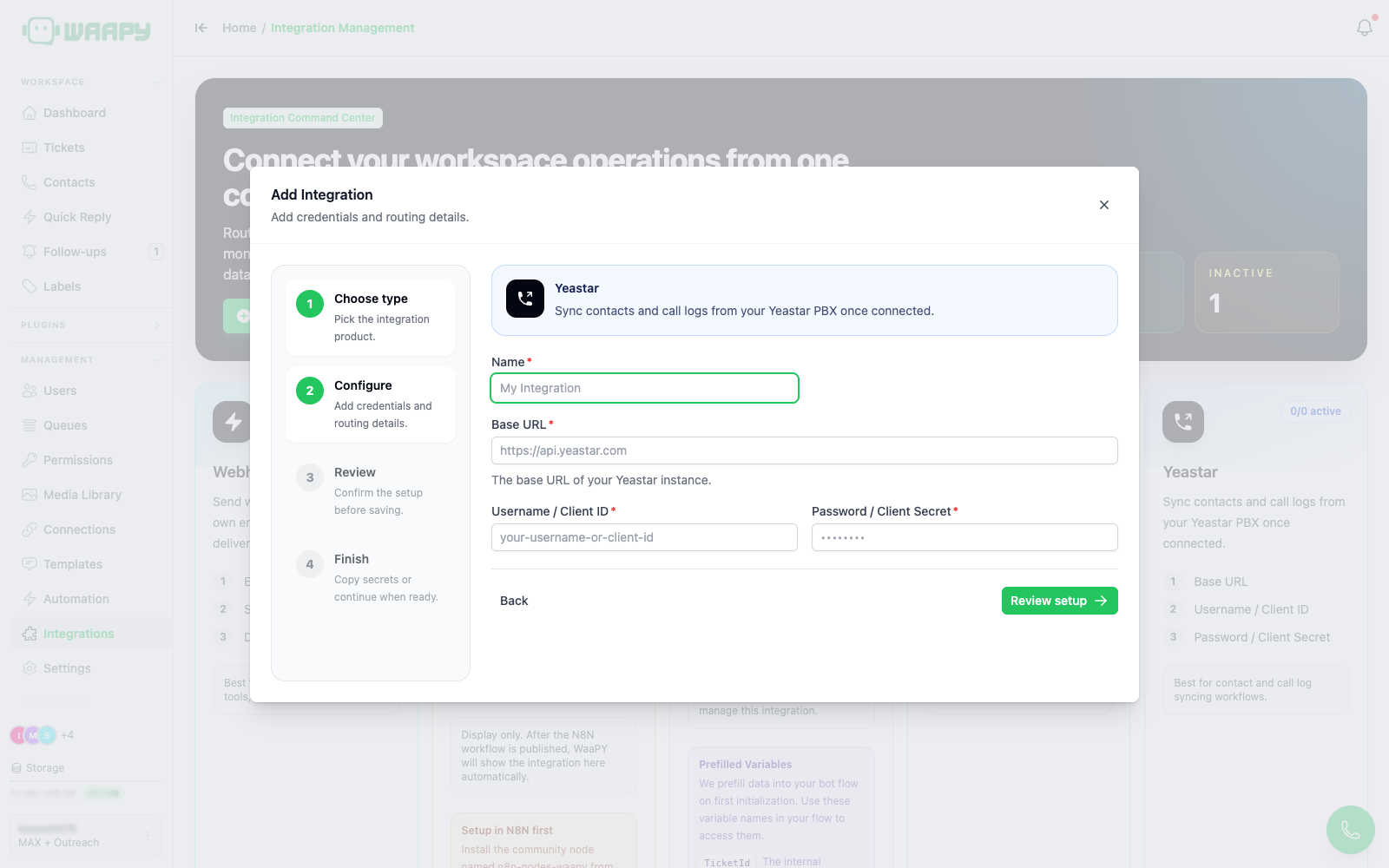
- Name: unique within the workspace.
- Base URL: the base URL of your Yeastar PBX.
- Username / Client ID and Password / Client Secret: Yeastar OpenAPI credentials. WaaPY exchanges them for access tokens and stores them encrypted.
Step 3: Review
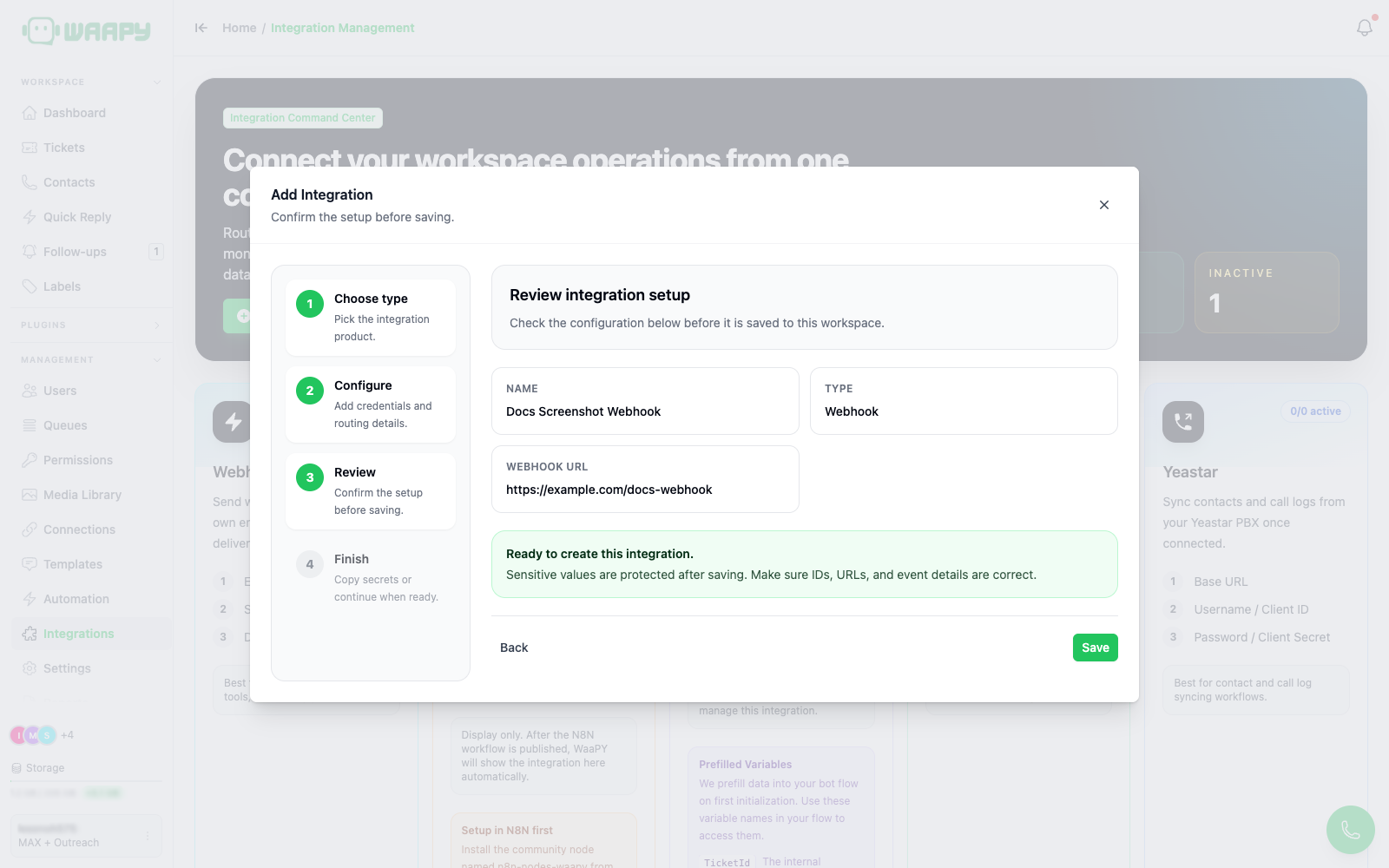
Confirm the values. Sensitive values (tokens, passwords) are masked after saving, so double-check them here.
Step 4: Finish
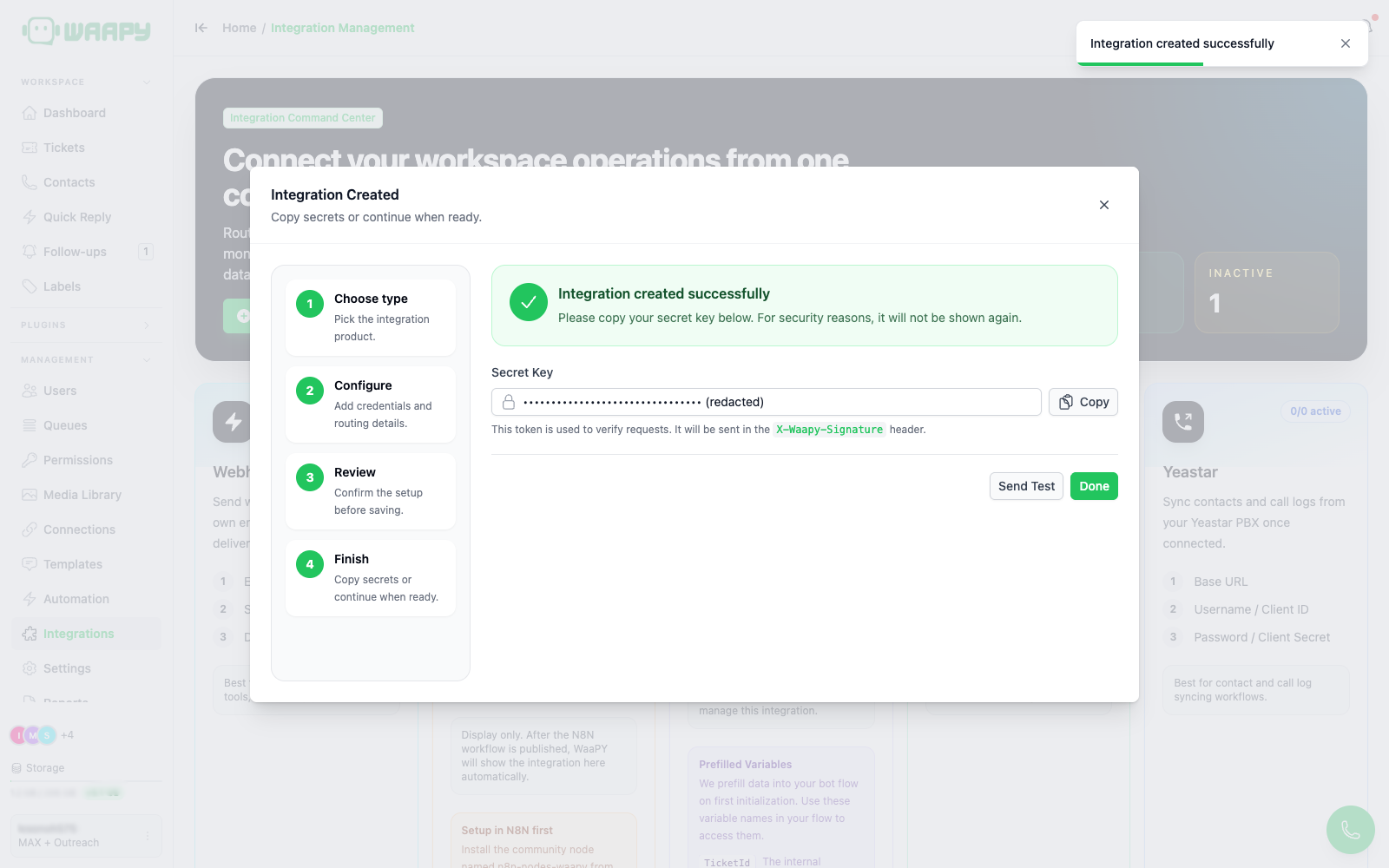
For Webhook, a Secret Key is generated and shown once. Copy it now because it is not displayed again. WaaPY sends it in the X-Waapy-Signature header of every delivery so your endpoint can verify the request.
Click Done to close the wizard. The new integration appears in Live Integration Pipelines.
Managing Integrations
Each integration is shown as a card in Live Integration Pipelines.
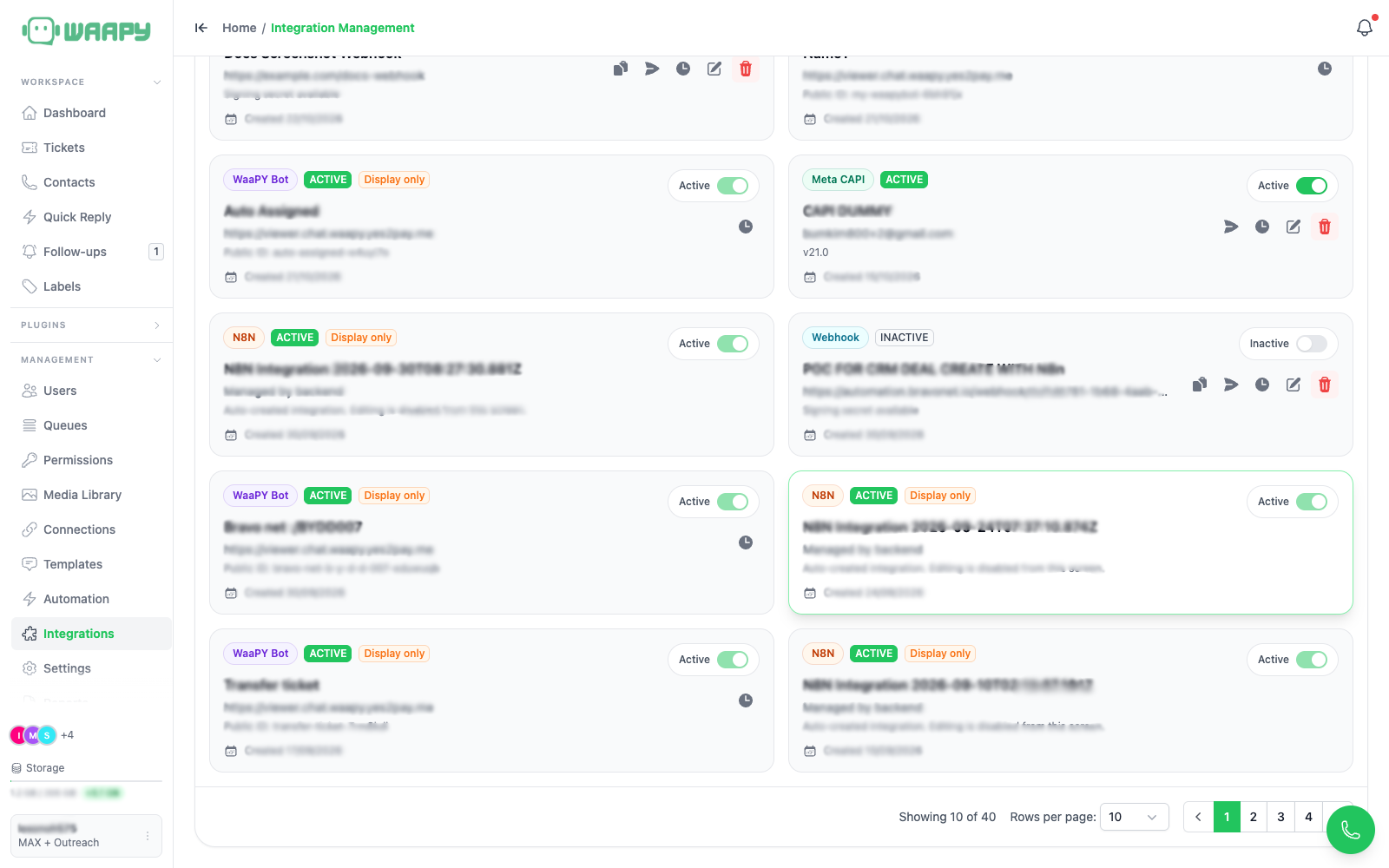
The card shows the type badge, status badge, name, the main config value (URL, dataset ID, or base URL), a secondary line (secret availability, API version, or username), and the creation date.
Status Toggle
Use the toggle on the right of the card to switch an integration between ACTIVE and INACTIVE. N8N and WaaPY Bot integrations are managed by the backend, so their toggle is disabled.
Action Buttons
| Button | Available for | What it does |
|---|---|---|
| Copy secret | Webhook and any integration with a secret | Copies the signing secret to the clipboard |
| Send Test | Webhook, Meta CAPI, Yeastar | Sends a test request and shows the result |
| Sync contacts | Yeastar | Queues a background contact sync |
| Sync call logs | Yeastar | Queues a background call-log sync |
| View Jobs | Yeastar | Opens the job history modal |
| View Logs | Webhook, Meta CAPI | Opens the delivery log modal |
| Edit | Webhook, Meta CAPI, Yeastar | Reopens the wizard in edit mode |
| Batch interval | WaaPY Bot | Sets a per-bot batch window (300 to 10000 ms) |
| Delete | Webhook, Meta CAPI, Yeastar | Deletes the integration (confirmation required) |
Editing
Click the pencil icon to reopen the wizard. On the configure step you can change any field. Leave token and password fields empty to keep the existing value. The review and finish steps work the same as creation.
Deleting
Click the trash icon, then confirm in the dialog.
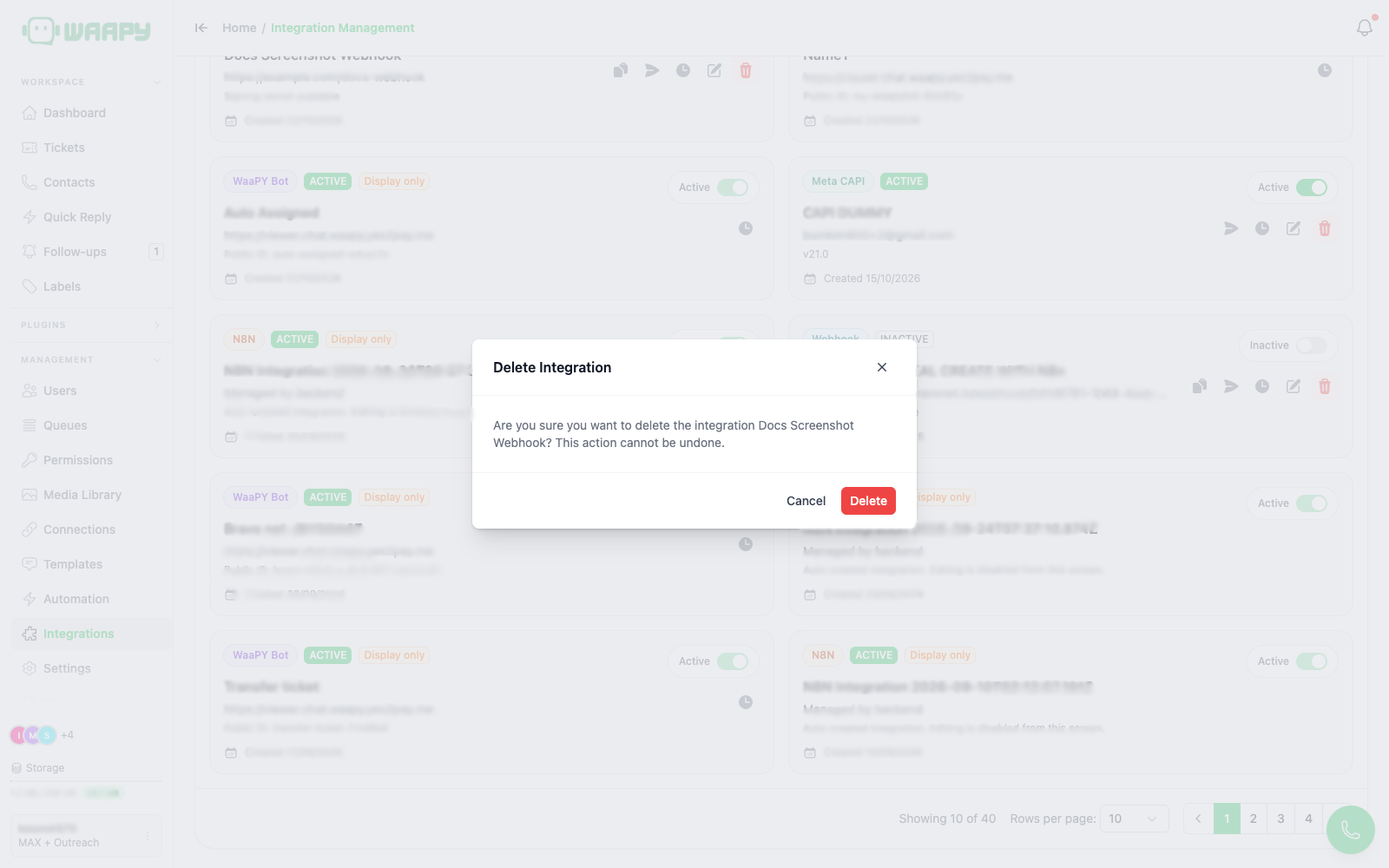
Deletion is permanent and cannot be undone.
Search and Pagination
- The search box filters by integration name, and by Meta CAPI dataset ID.
- Page size ranges from 1 to 100 (default 20 for the list, 10 for logs and jobs).