Yeastar
Yeastar integrations connect a Yeastar PBX so WaaPY can sync contacts and call logs. WaaPY exchanges your OpenAPI credentials for access and refresh tokens and refreshes them automatically.
Configuration
Add a Yeastar integration from + Add Integration. The wizard asks for:
- Name: unique within the workspace.
- Base URL: the base URL of your Yeastar PBX.
- Username / Client ID and Password / Client Secret: Yeastar OpenAPI credentials.
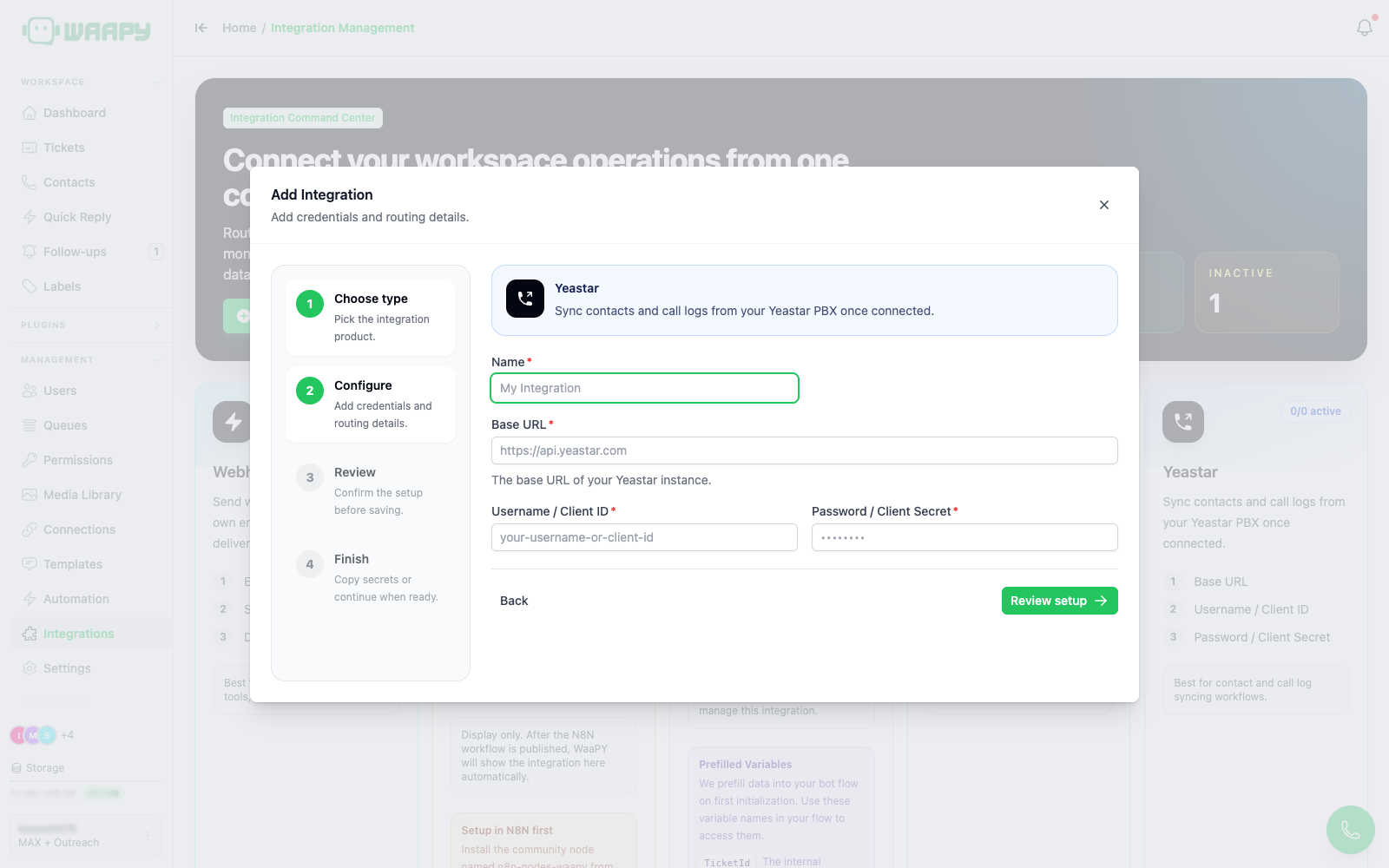
WaaPY exchanges the credentials for access and refresh tokens (stored encrypted) and refreshes them automatically.
Actions
- Sync contacts (arrow icon): queues a Contact Sync background job.
- Sync call logs (phone icon): queues a Call Sync background job.
- View Jobs (clipboard icon): opens the job history modal.
Job History Modal
Shows Total, Completed, Failed, and Active counters, plus per job: type, status, progress bar (processed over total), created, updated, and failed counts, created and completed timestamps, duration, and an expandable list of per-contact errors (name, phone, error).
Job statuses: Queued, In Progress, Completed, Failed.
Testing
Send Test obtains an access token from Yeastar to verify connectivity.
Call Recordings and Transcription
Synced calls appear in the contact drawer under Call Log, next to the contact's details. A Yeastar call that includes a recording plays it back from the same list.
When AI features are enabled in Settings > AI Features, click Transcribe on a call to convert its recording into text. The transcript appears in the call entry, and the button disappears once a transcript exists.