Authentication
Quick Overview
The Public API uses workspace API keys sent as Bearer tokens in the Authorization header.
Getting an API Key
- Go to Settings > General in your WaaPY workspace.
- Find the API Keys section.
- Copy your workspace API key. It starts with
wckey_. - Only workspace admins can view this key.
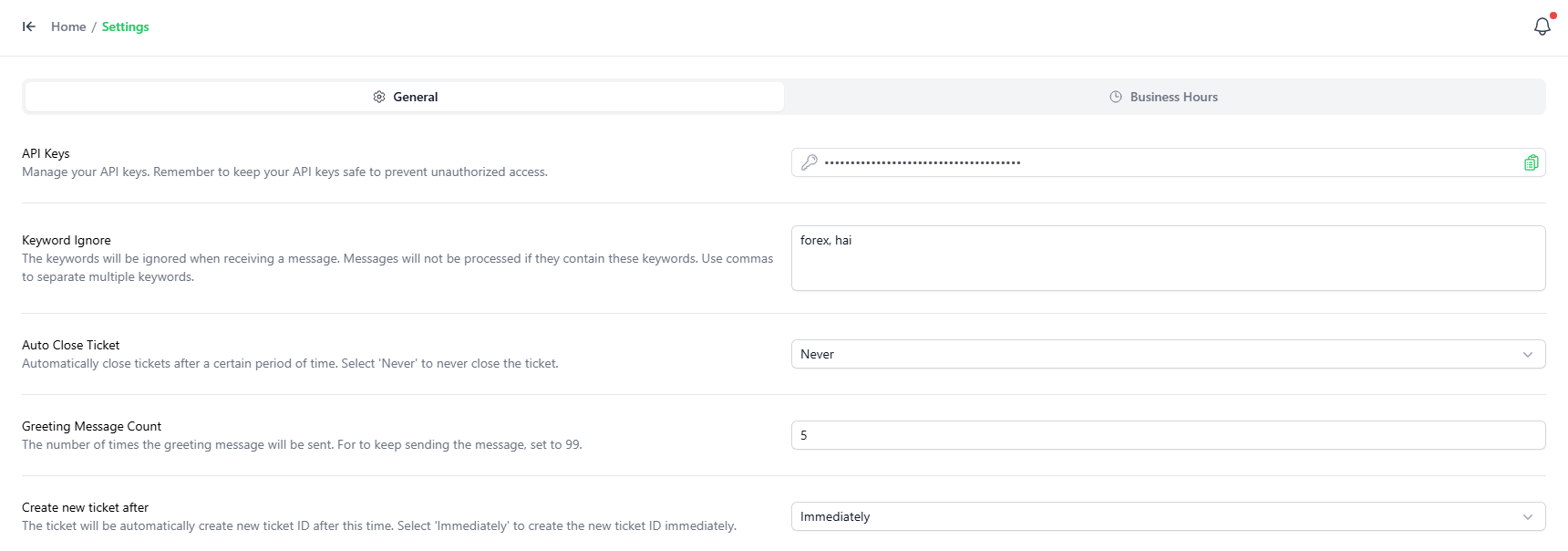
If the key does not exist, the system creates it automatically when settings are loaded.
Using the API Key
Include the key in the Authorization header for every request:
Authorization: Bearer wckey_your_api_key_here
Example request with curl:
curl -X GET "https://api.your-waapy-instance.com/v1/contacts" \
  -H "Authorization: Bearer wckey_your_api_key_here" \
  -H "Content-Type: application/json"
Authentication Errors
| Status | Error Code | Description |
|---|---|---|
| 401 | ERR_UNAUTHORIZED | Missing or invalid Authorization header, or the API key does not match any workspace. |
Security Best Practices
- Never expose your API key in client-side JavaScript or public repositories.
- Rotate your API key immediately if you suspect it has been compromised.
- Use separate keys per integration where possible.
- Restrict access to the key to trusted servers or services only.
- Always use HTTPS to protect the token in transit.