Reports
Quick Overview
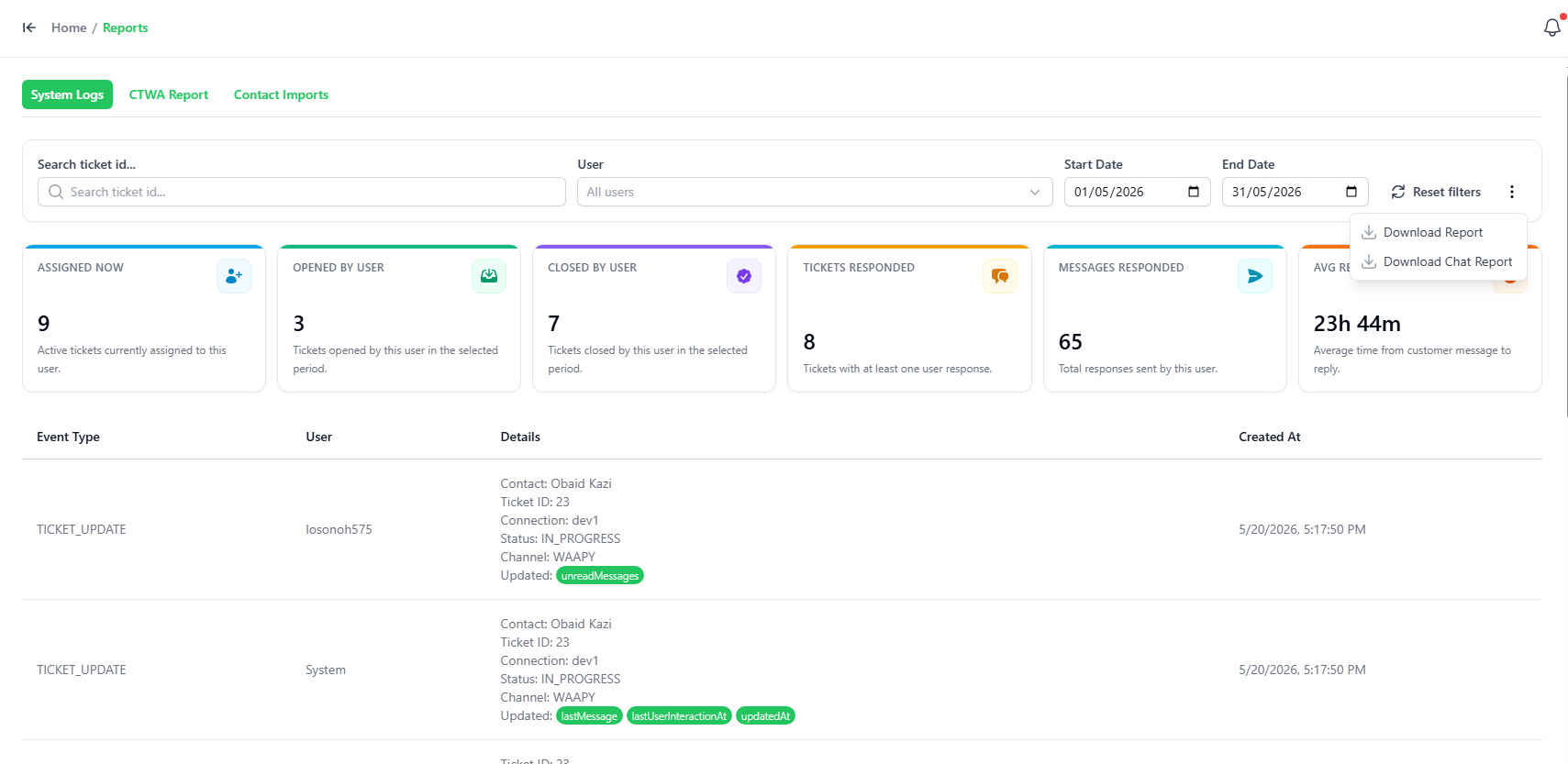
The Reports page allows you to review your team's historical chat activity, search for specific conversations, and export data for external analysis.
Viewing and Exporting Reports
Here is the basic user interface of the Reports page:
- Search by Ticket ID: Type a specific Ticket ID to pull up a precise record.
- Search by Date: Filter your workspace's history by selecting a date range.
- Export Data: Click the download button to export the report for your own records.